
There's three steps involved:
- Make sure OneDrive is setup on your computer
- Download all of your Google Drive documents
- Copy the Documents into OneDrive
The first two are covered in the articles linked above, once you've setup OneDrive, and downloaded your Google Drive documents, you can then do the following for each file that Google Drive downloaded:
- Open the file that Google Drive downloaded
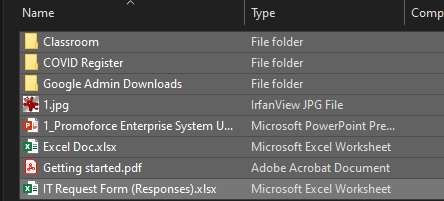
- Select all the files you need to back up:
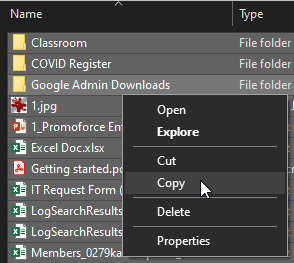
- Right click on them and click on "Copy":
- Open Windows file explorer, or MacOs' Finder
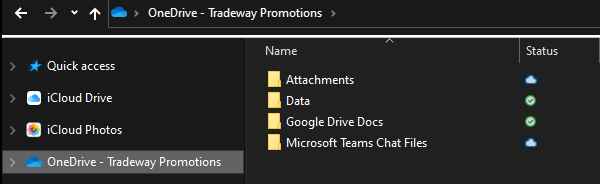
- Select the "OneDrive" folder on the left:
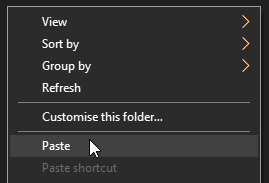
- Right click in the folder and select "Paste":
- The files should all copy into that folder, and then OneDrive will begin to save them for you online.
Comments
0 comments
Article is closed for comments.