- Find the file or folder you want to share on your computer
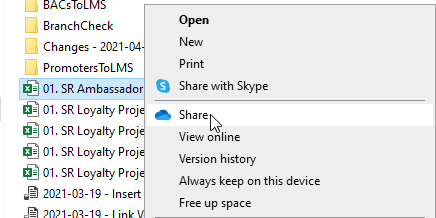
- Right click on it, and in the "OneDrive" section, select "Share"
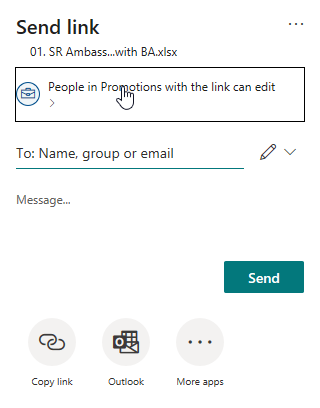
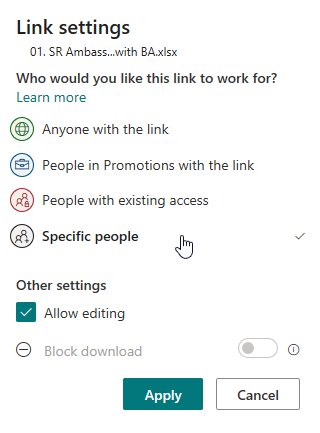
- By default it will only let you share with people inside our company, if you want to share with people outside the company you just click on the block saying "People in Promotions with the link can edit", and change it to "Specific People" and click apply:
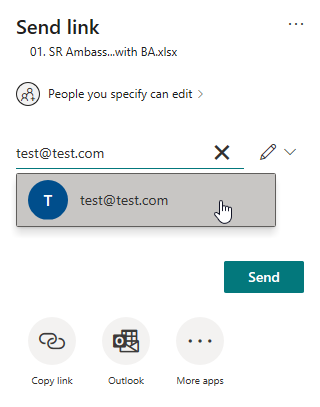
- Enter the email address of the person you want to share it with, and once OneDrive has finished searching for the address, select it:
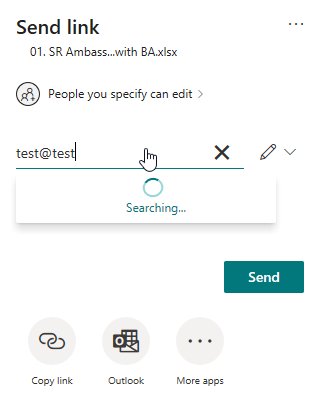
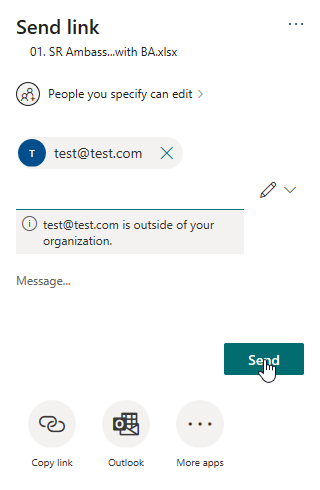
- You can now enter a short message to be sent along with the invitation to download the file, and then click "Send" to send the invitation:
How do I share a file or folder with someone else?

Comments
0 comments
Article is closed for comments.