
When you plug in the USB cable, your laptop should automatically swap over to using the Logitech camera automatically, however if it doesn't, you can change it easily.
If you have not yet started your meeting:
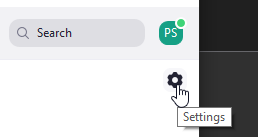
- Open your Zoom Settings
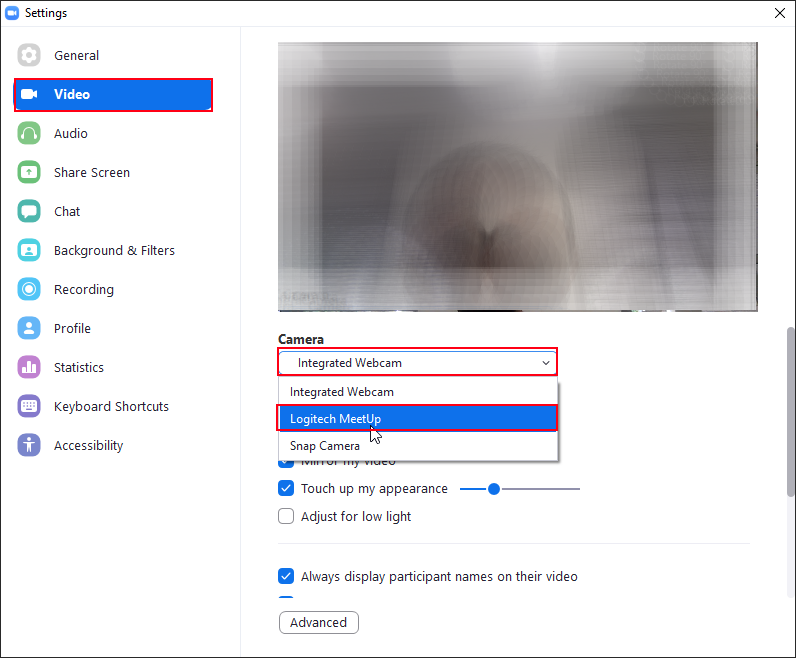
- In the settings window, select "Video" and change the "Camera" to "Logitech Meetup":
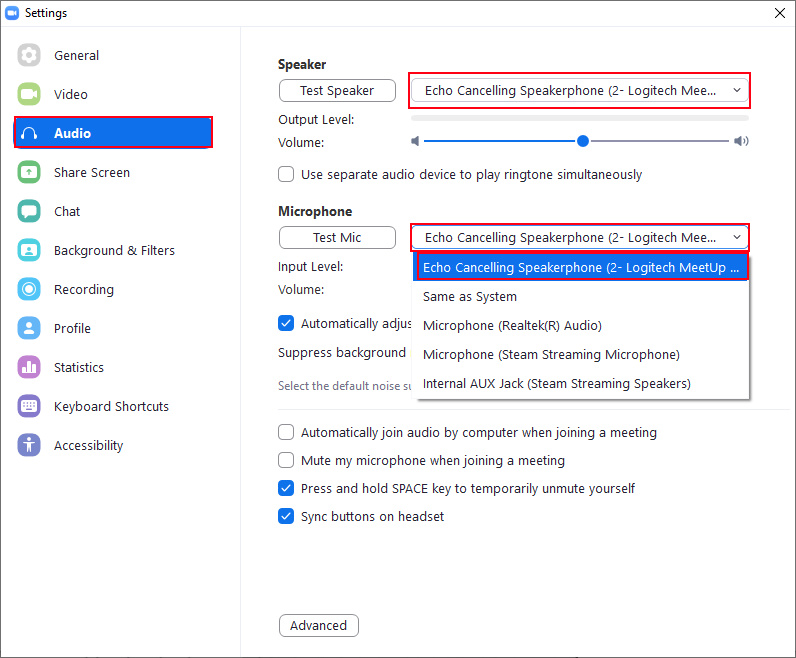
- Then select "Audio", and change the Speaker and Microphone to "Echo Cancelling Speakerphone":
If you have started your meeting:
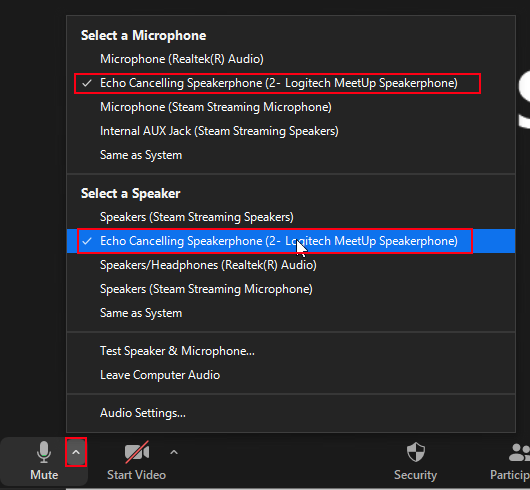
- Click on the little arrow next to the microphone, and select "Echo Cancelling Speakerphone" for both the Microphone and Speaker:
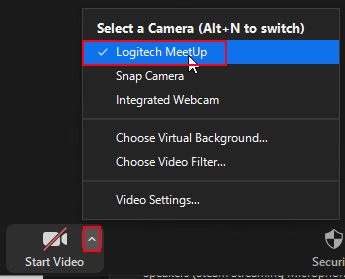
- Click on the arrow next to the Video, and select "Logitech Meetup" as the camera:
Comments
0 comments
Article is closed for comments.