
If you're using the Outlook app on your computer, you will see shared mailboxes automatically in your list of folders. One the webmail client you need to do the following:
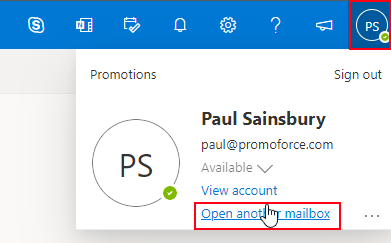
- Click on your initials in the top right, and select "Open another mailbox"
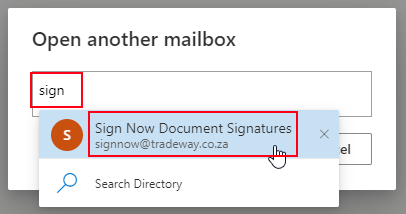
- In the search box, type in the name of the mailbox you want to open (e.g. signnow@tradeway.co.za) and click on the name when it shows in the list :
- Click on the "Open" button:
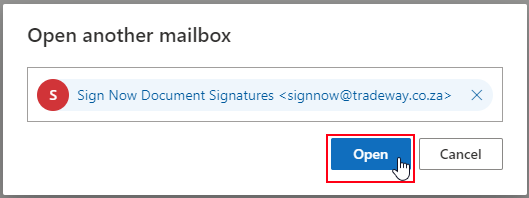
- Outlook will open up that mailbox in a new tab on your browser.
Comments
0 comments
Article is closed for comments.