
To add in your Promoters Rate follow these steps:
There are 5 different types of rates:
- Per Hour - paid for each hour that the promoter works
- Per Day - paid per day (or part of a day) that they work
- Per Task - As long as they check in/out, they get paid for doing the task (e.g. POS Setup)
- Per Month (Payroll) - the promoter is paid monthly, and is on our payroll
- Per Month (Supply) - the promoter is paid monthly, but isn't on our payroll
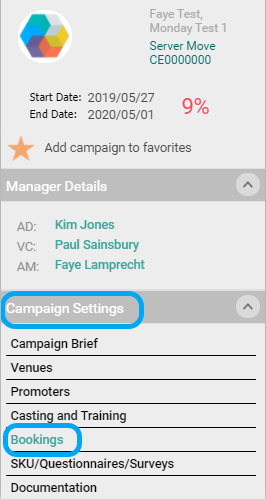
1. Go to Bookings in your Campaign Settings
2. Select the Promoter's that you are going to add in rates for by ticking the box, add in your rate, select a rate type, and select Apply:

You will see that the rate has now been applied:

Comments
0 comments
Article is closed for comments.