
In order to Generate schedules you need to first add the Venues to the Campaign.
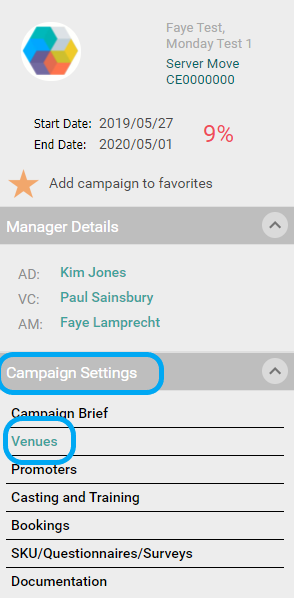
To do this Click on Venues, in the Campaign Brief.
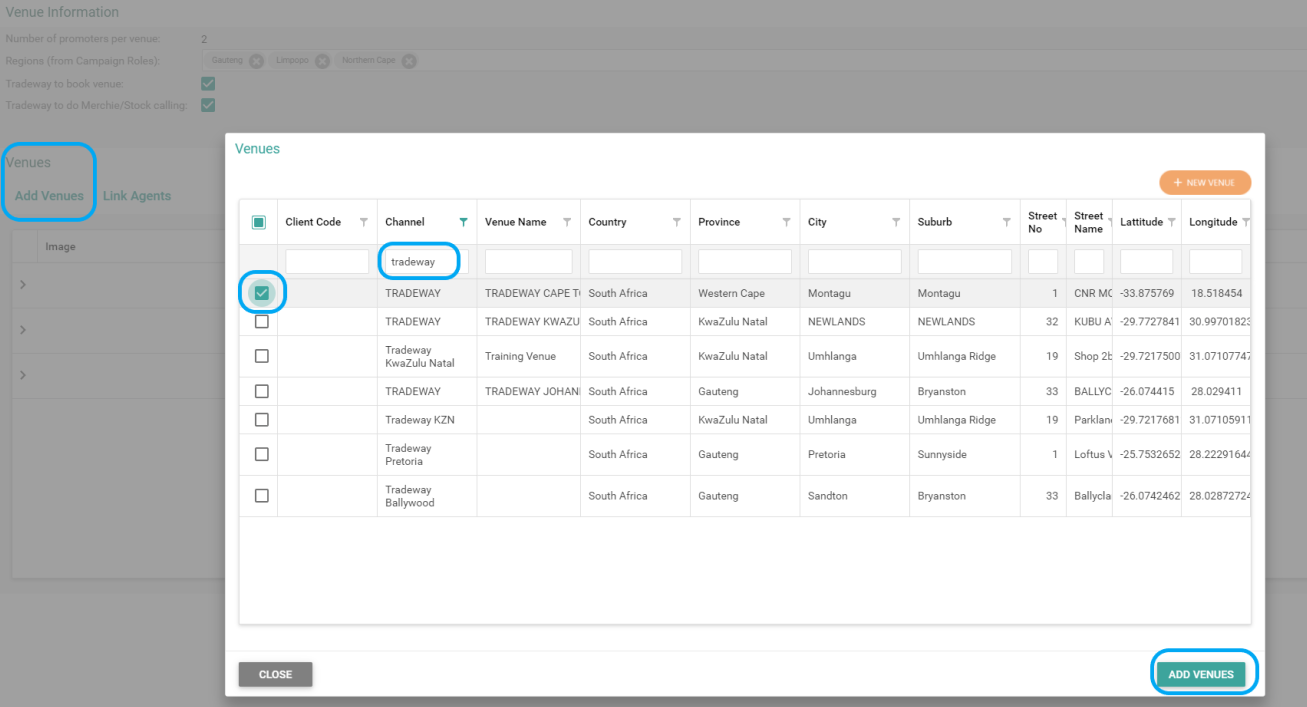
1. Select Add Venues
2. Search for the stores required
3. Select the venues by ticking the box
4. Select Add Venues
Once you have added the venues needed for the Campaign start with Generating your Schedules. There are 2 ways that you can generate schedules, lets start with:
How do I generate a Single Schedule?
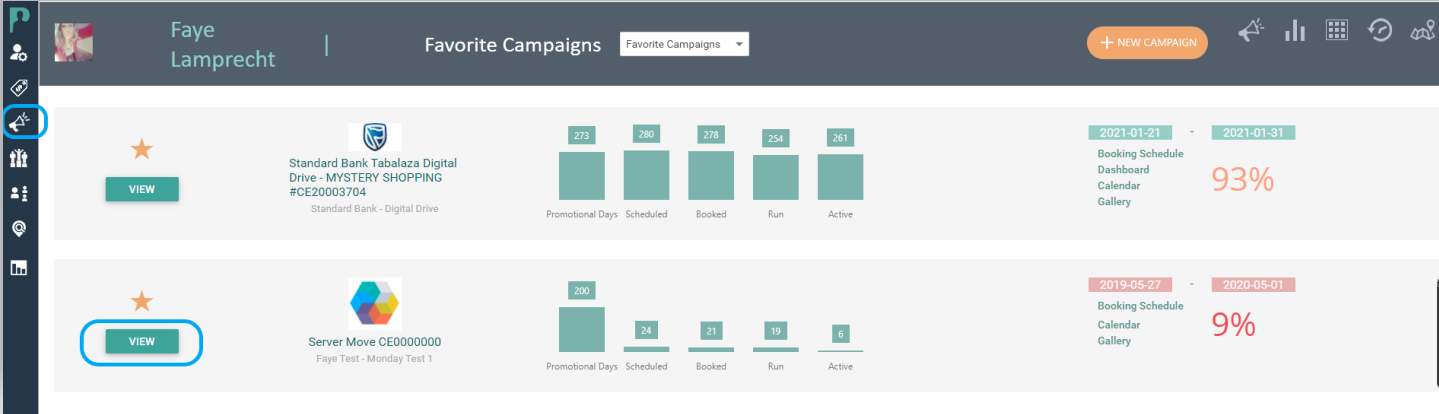
1. Click View on the Campaign that you need to add schedules to
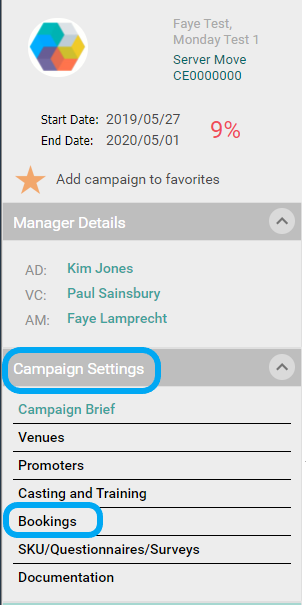
2. Click on Bookings in your Campaign Settings
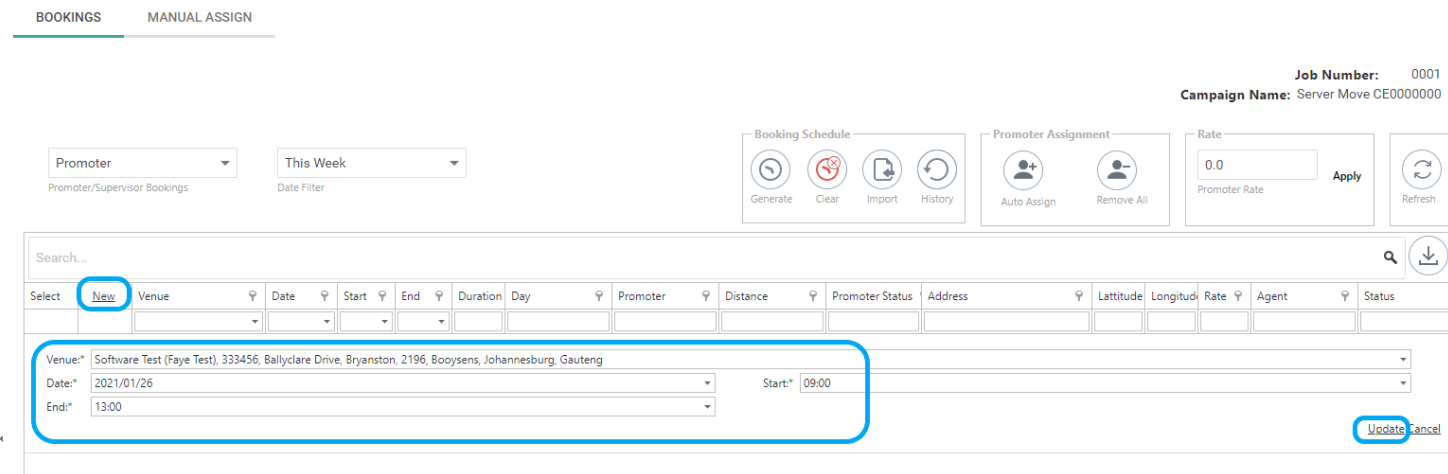
3. Click on New (Select your already loaded venue)
2. Add in the date
3. Add in the start time and end time
4. Select update
How do I generate a Bulk Schedule?
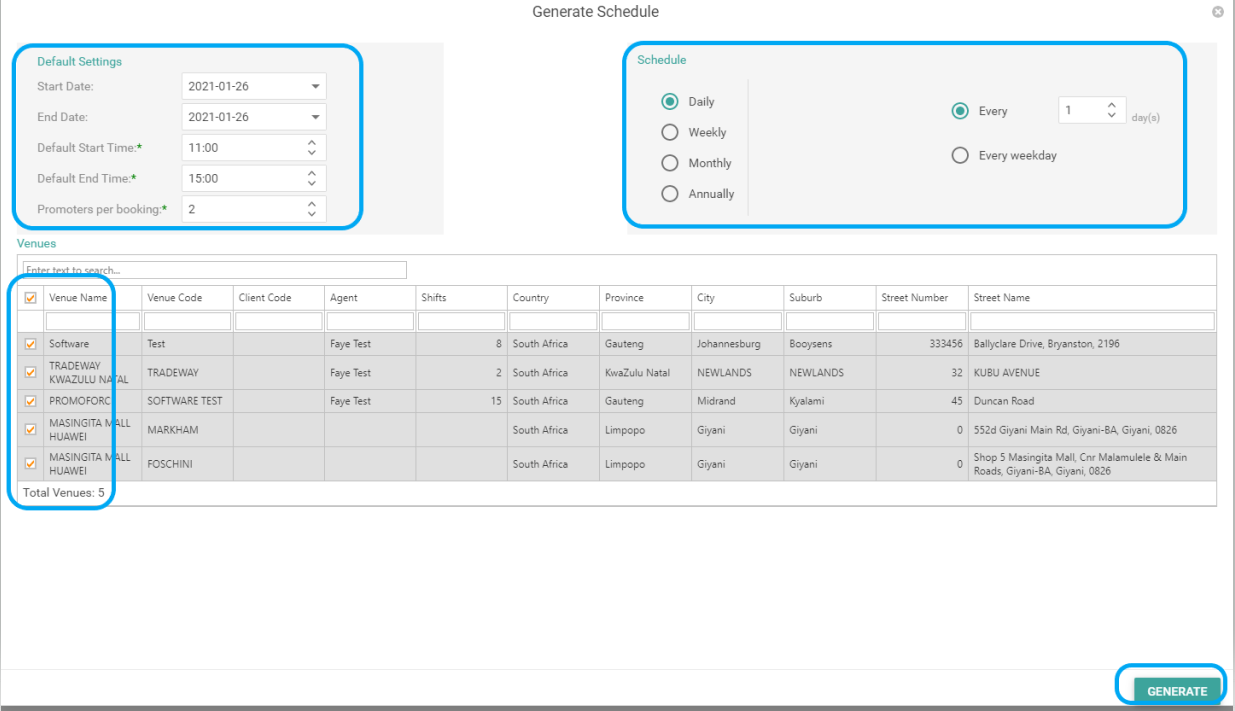
1. Select Generate

2. Add the default settings:
-start date
-end date
-start time
-end time
-promoters per booking
3. Select your Schedule Requirement:
-daily
-weekly
-monthly
-anually
4. Select your Venues by ticking the box
5. Click on Generate
Comments
0 comments
Article is closed for comments.